How to Find a Person by Photo Online?
You can find a person by photo online using a reverse image search tool or the Google Lens app. Just upload your image and search. Among the results, you will see the photos of the person in the image if indexed and available.
Many people, when they see a photo of a person online, want to know who they are. Some want to confirm whether the person is real or an AI-generated character. Or perhaps they want to find the source of the image.
The good thing is that finding a person using an image online is now possible. An image search technique called reverse image search helps you do that.
Is it Possible to Find a Person Using a Photo?
Yes, sometimes you can find a person using a photo of them. However, success depends on one important thing. The person's photo must already exist clearly on the public internet.
You have a better chance of finding someone if their photo appears on:
- Public social media profiles
- News websites
- Company websites
- Blogs
- Forums
- Online portfolios
- Public directories
However, the search might not deliver you accurate results if the photo has never appeared online or is available but on a private social media account.
Best Ways to Find a Person by Photo Online
There are various ways to find a person by photo online. Three popular methods include:
- Reverse Image Search
- Google Lens
- AI Face Search tool
1. Reverse Image Search
Using a reverse image search tool remains one of the easiest and free methods to find a person online using an image. A reverse image search tool provides you with a platform that lets you reverse photo search across different platforms at one time.
Follow these steps to find a person from a photo using reverse image search.
- Step 1: Open a reverse image search tool.
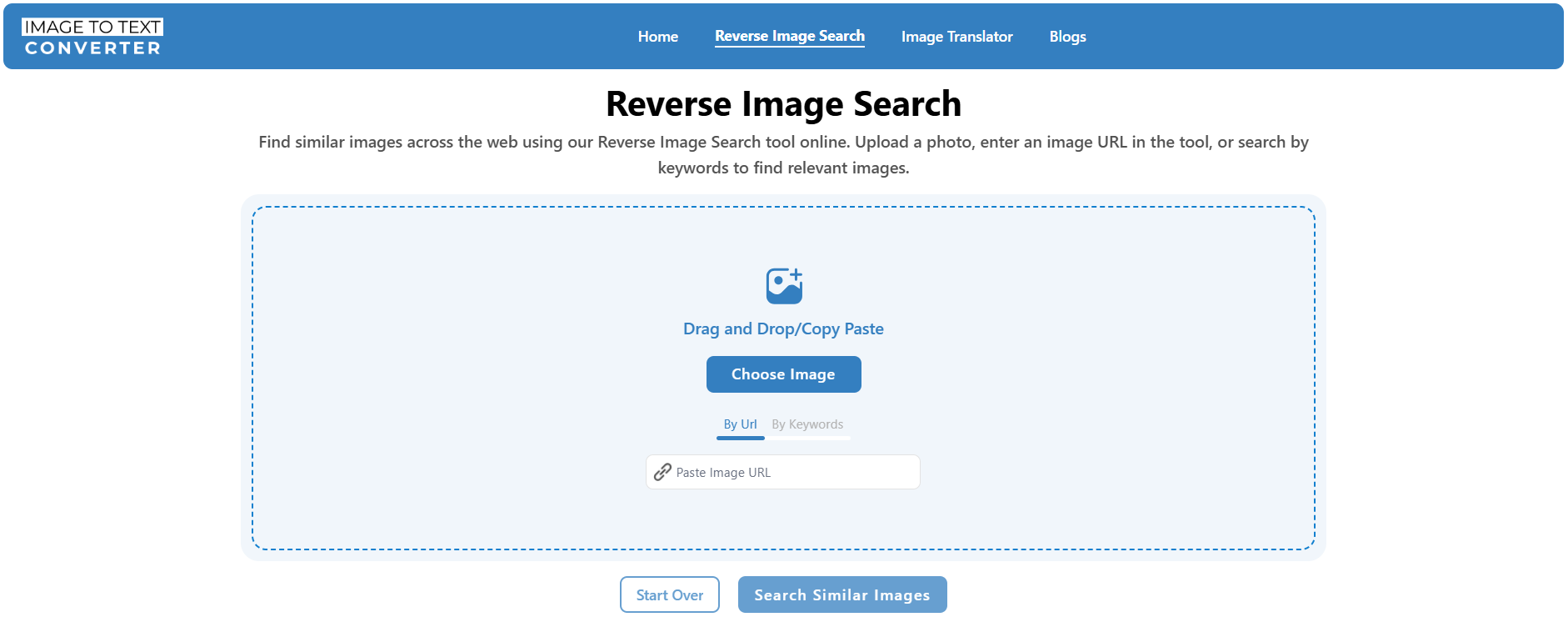
- Step 2: Upload a photo of the person to it or add a URL from the internet. Try using a photo that has a clear face, like the one in the screenshot below.
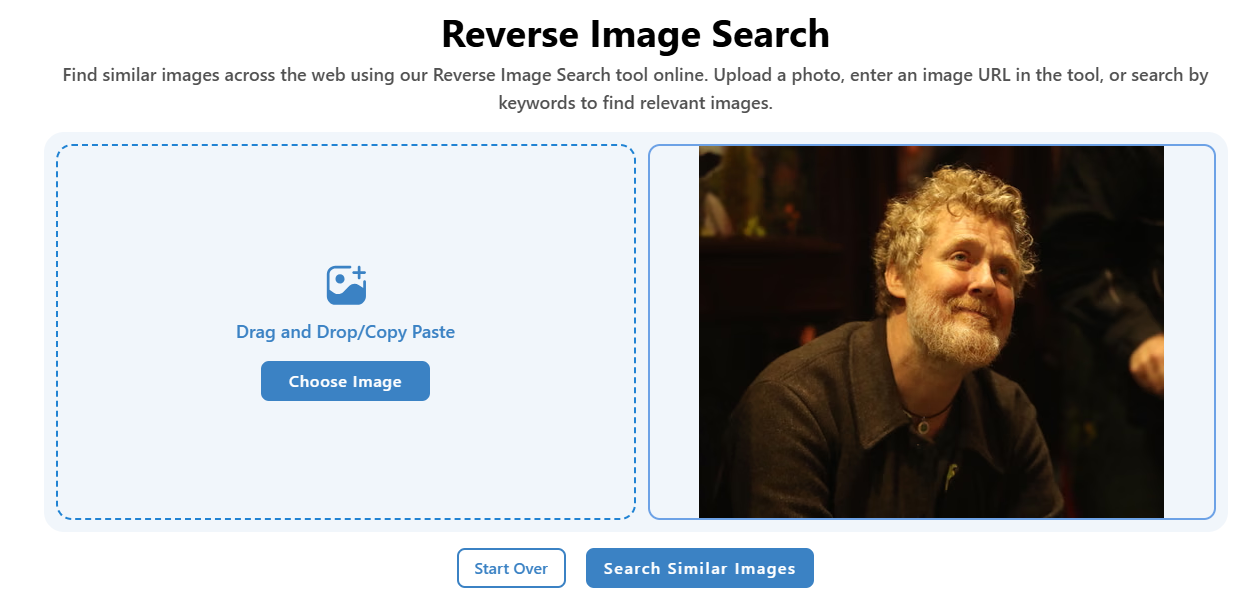
- Step 3: Click the ‘Search Similar Images’ button.
- Step 4: Click ‘Show Matches’ next to your preferred image search engine. If you found no matches on one search engine, try another.
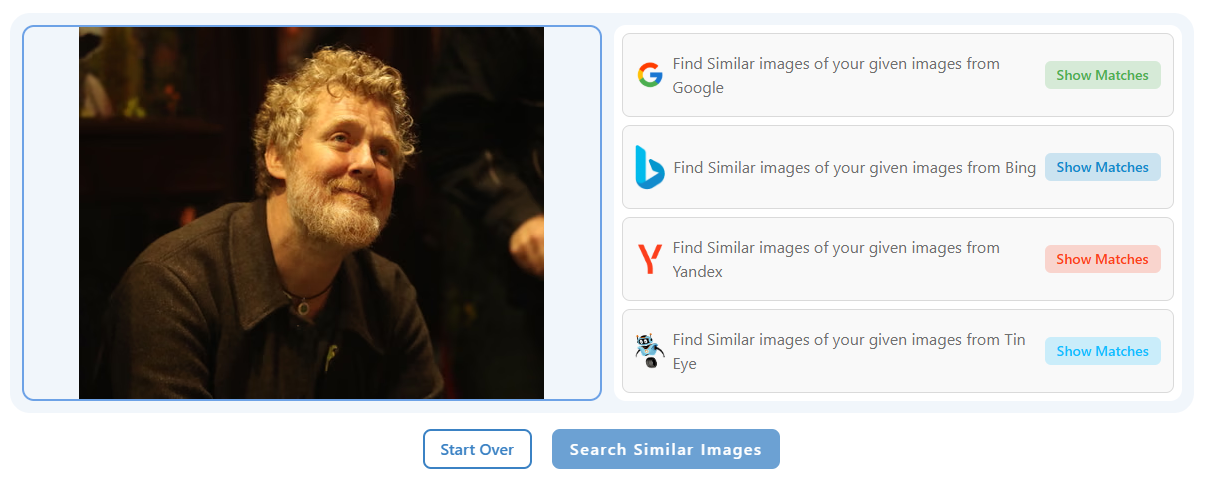
- Step 5: You will see results. Scroll a bit to find the better-quality exact matches.
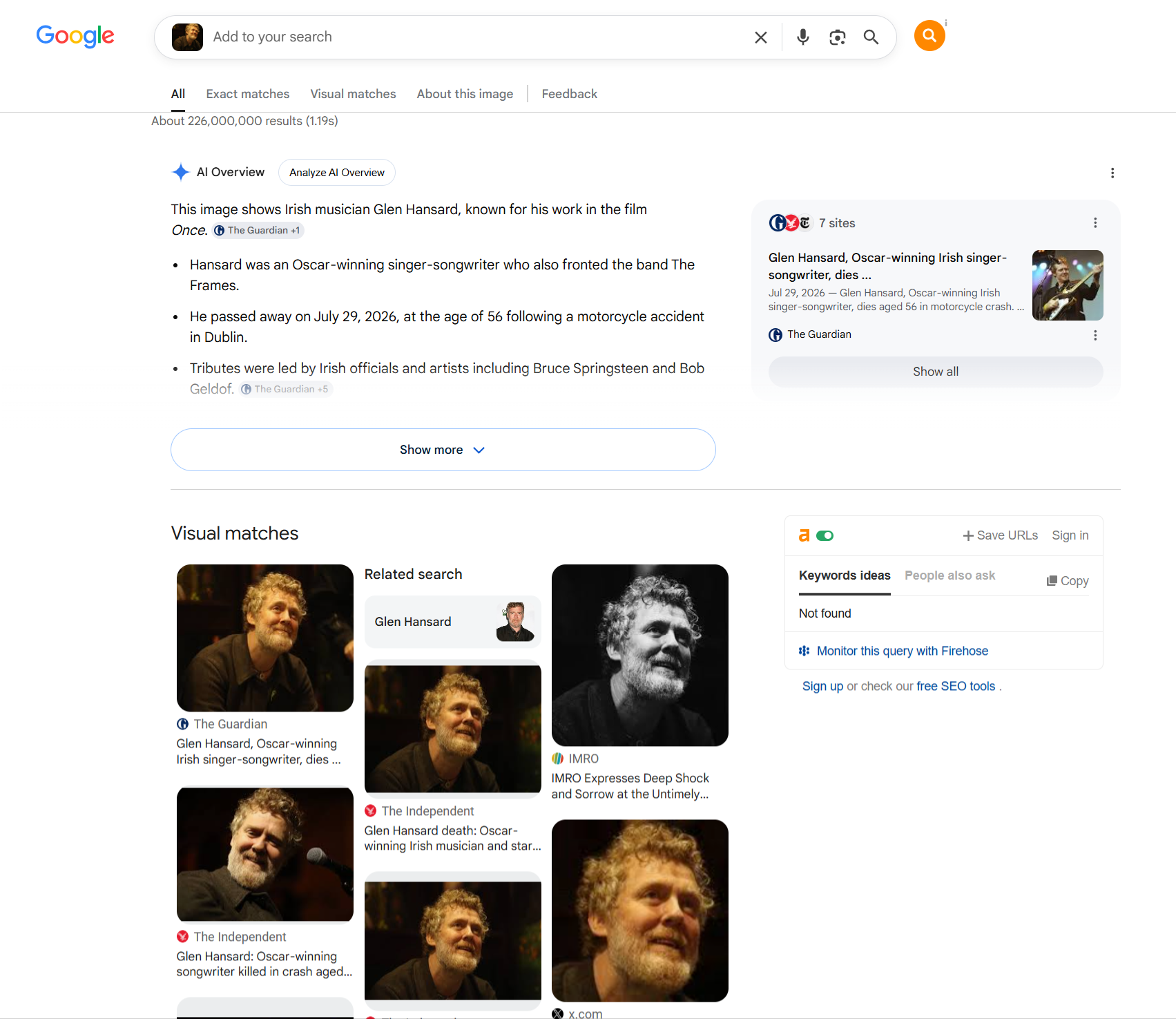
If you see no exact match of the person, it could be because the image is not available on the internet or is not public on social media. Or the image you are trying to search is AI-generated.
2. Google Lens
Google Lens can also find a person online by photo. If you have the Lens app installed on your device, you can use that. If not, you can use Google Lens directly on the web.
Here’s how to use Google Lens to find a person by image on the web.
- Step 1: Open any web browser and go to ‘google.com’.
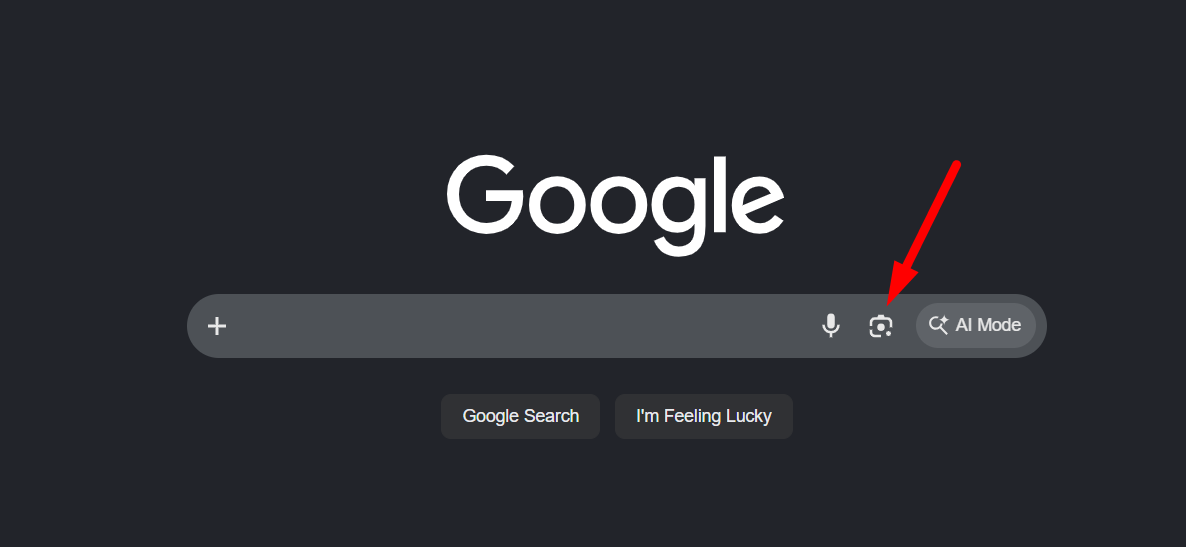
- Step 2: Click the camera icon inside the search bar to open Google Lens.
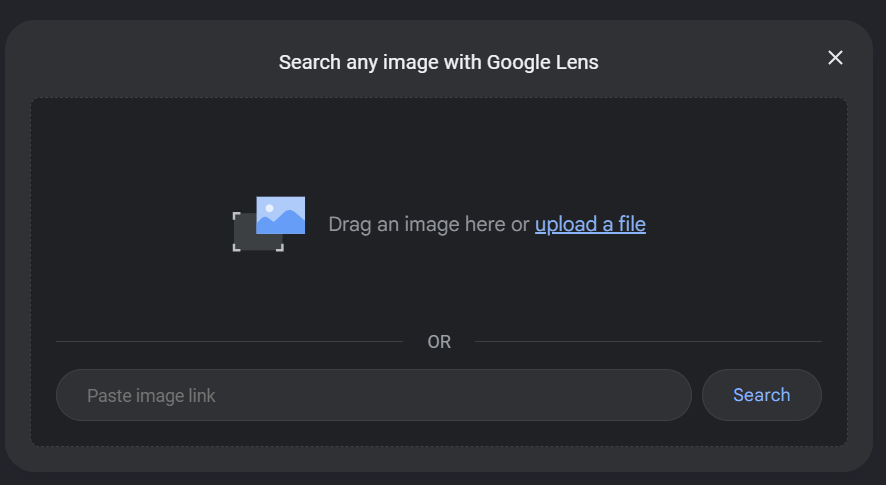
- Step 3: Submit or add the URL of the photo inside the toolbox.
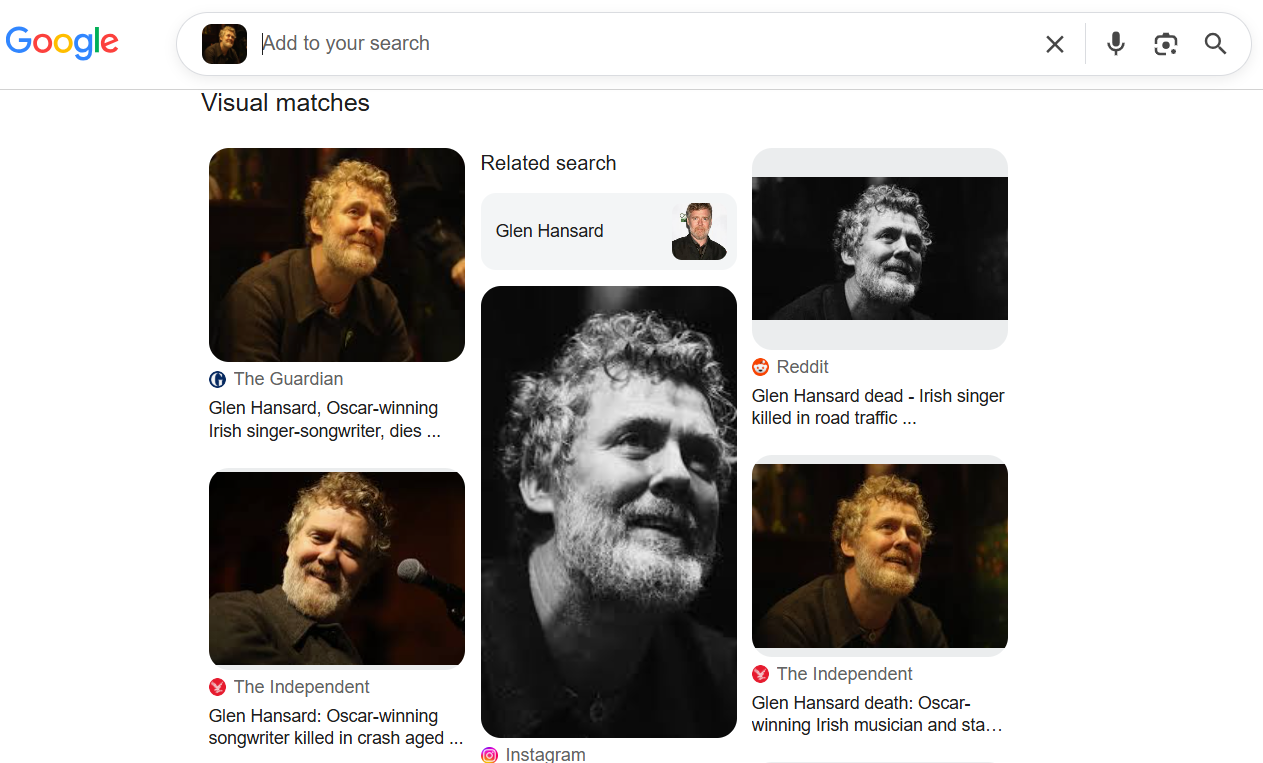
- Step 4: Lens will instantly take you to the resutls page showing visual and exact matches of the uploaded photo.
3. AI Face Search Tool
Several AI-powered services specialize in matching faces. These tools compare facial features instead of searching for identical images. However, they usually require a paid subscription.
Also, the availability of these tools varies by country and is limited by local privacy laws. That is why these tools only offer limited access online, while being used to their full potential by various government bodies around the world.
How to Improve Your Search Results?
Small changes can make a big difference. Follow these tips:
- Use the highest-quality image available.
- Crop the photo around the face.
- Remove unnecessary background.
- Try several search engines.
- Search both the full photo and a close-up.
- Test different image sizes.
- Try screenshots if you do not have the original photo.
- Search again after a few days if the image is new.
No single search engine indexes every image on the internet.
Why More People Use Reverse Image Search Today?
Reverse image search has become much more popular over the past few years. Several trends have increased its use.
- Google announced that Google Lens is now used by more than 1.5 billion people. This shows that people now search with images almost as often as they search with words.
- The FBI Internet Crime Report 2025 recorded more than 1 million cybercrime complaints with reported losses in the billions. Many online scams involve fake identities and stolen profile photos. Reverse image search helps people verify these identities before they trust someone.
- Data from Statista estimates that more than 6 billion people used the internet worldwide in 2025. With billions of public images online, reverse image search has a much larger pool of content to compare than ever before.
These numbers show why image search has become an important tool for everyday internet users.
Bottom Line
Finding a person by photo online is easier than ever. You can start with a reverse image search tool or Google Lens to look for matching images across the web. If you do not find results, try another search engine or use a clearer photo.
The discussed methods only work when the image already exists on public websites. As a caution, use these tools responsibly and respect other people's privacy while searching.